Frequently Asked Questions
Everything you need to know about SmartFlow Edge tools, subscriptions, and setups.
01
Getting Started
SmartFlow Edge provides professional-grade orderflow
indicators, custom studies, and analytical solutions
built for serious retail futures traders. We focus on
enhancing platforms with high-execution, clean
visualizations, and actionable insights.
Our platform is designed for active futures traders,
market profile analysts, and order book traders who
require deeper technical edge and reliable execution
tools to understand institutional volume flow.
No, we do not provide educational courses, investment
advice, or auto-trading signals. We develop software
utilities and custom execution layouts that serve to
enhance your personal trading analysis.
Yes, we offer free trial options for select tools. You
can explore basic functionalities and determine
compatibility with your workflow prior to purchasing
full access.
02
Subscription & Billing
No. One subscription covers your chosen platform. You select your
platform during checkout, and we deliver the indicators
built for that specific platform.
Yes. You can change your billing cycle from your account
page. Switching to quarterly saves ~20% compared to
month-to-month billing.
You can cancel anytime from your account page. After
cancellation, you retain access through the end of your
current billing period.
03
Platforms & License

ATAS Setup
Windows Classic Platform

ATAS X Setup
macOS & Windows Beta
Our indicators are fully supported on the ATAS platform without any limitations. Support for ATAS X
is coming soon.
Yes. All of our indicators are fully licensed. However, instead of locking the software to a single
physical computer, your license is conveniently bound to your platform credentials.
One license is sufficient for your chosen platform. Since your license is tied directly to your
platform User ID rather than a specific hardware ID, you can use it on any computer (such as your
desktop or laptop) where your platform account is active, with no physical hardware limitations.
Once your purchase is completed and you provide your registered ATAS User ID or email, your license
will be processed and activated within 24 hours.
Yes. If you change your ATAS account or registered email, please contact our support team. We will
update your active license details in our database free of charge.
04
Tools & Studies
We currently specialize in two main areas of orderflow analysis:
- 1. Indicators: Advanced visualization utilities designed to simplify market auction data. This includes proprietary FlowScannerPro tools, Absorption Wall and etc. These help you easily identify institutional buying and selling pressure.
- 2. Custom Development: For traders who want to bring their own unique strategies to life. If you have a specific mathematical algorithm, execution rule, or proprietary analysis concept, our development team can program, optimize, and deliver highly secure, private indicators or studies built exactly to your specifications.
🚀 Coming Soon: We are actively working on automated trading bots, algorithmic execution systems, and quantitative modules to further expand our ecosystem.
Standard indicators often lack advanced filtering and are poorly optimized, leading to lag during
high-volatility events (like news releases). SmartFlow Edge indicators are built from the ground up
with low-latency algorithms, cleaner aesthetic designs, and unique algorithmic volume filters that
are not natively available in default platform libraries.
To start a custom development project, head to our Custom Development page and
submit a detailed brief of your requirements. Our team will review the technical feasibility,
provide you with a secure quote and timeline, and sign a non-disclosure agreement (NDA) to protect
your proprietary trading ideas.
05
Support
For general inquiries, email support@smartflowedge.com.
Paid subscriptions are billed per your chosen cycle (monthly or quarterly). If you have questions
about your billing, reach out to support@smartflowedge.com.
03
Setup
ATAS Setup
Windows Classic Platform
ATAS X Setup
macOS & Windows Beta
ATAS Setup Instructions
Prerequisite: Ensure your indicator activation is completed via the SmartFlow Edge panel first.
1
Log into the ATAS platform using the exact User ID/Email that you registered in your SmartFlow
Edge panel.
2
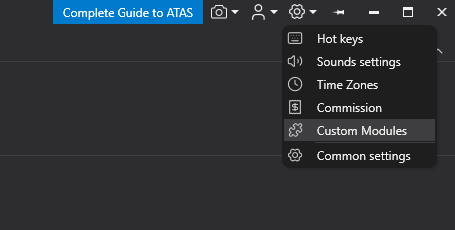
Navigate to the main menu, open Settings, and click on Custom
Modules.
3
Under the Available Modules section, find the name of the indicator you
requested, click Install, and then hit Apply.
4
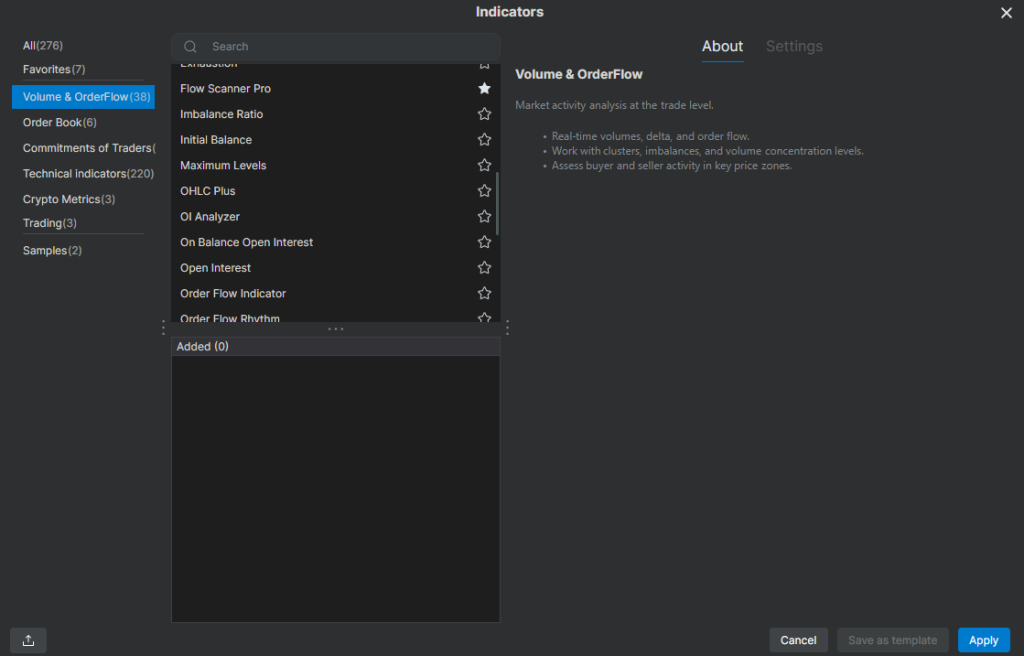
Once completed, your indicator will be fully accessible under the standard
Indicators menu on your charts.
ATAS X Setup Instructions
Prerequisite: Ensure your indicator activation is completed via the SmartFlow Edge panel first.
1
Log into the ATAS X platform using the exact User ID/Email that you registered in your SmartFlow
Edge panel.
2
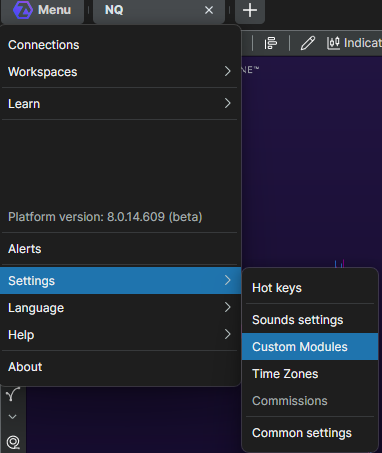
Navigate to the main menu, open Settings, and click on Custom
Modules.
3
Under the Available Modules section, find the name of the indicator you
requested, click Install, and then hit Apply.
4
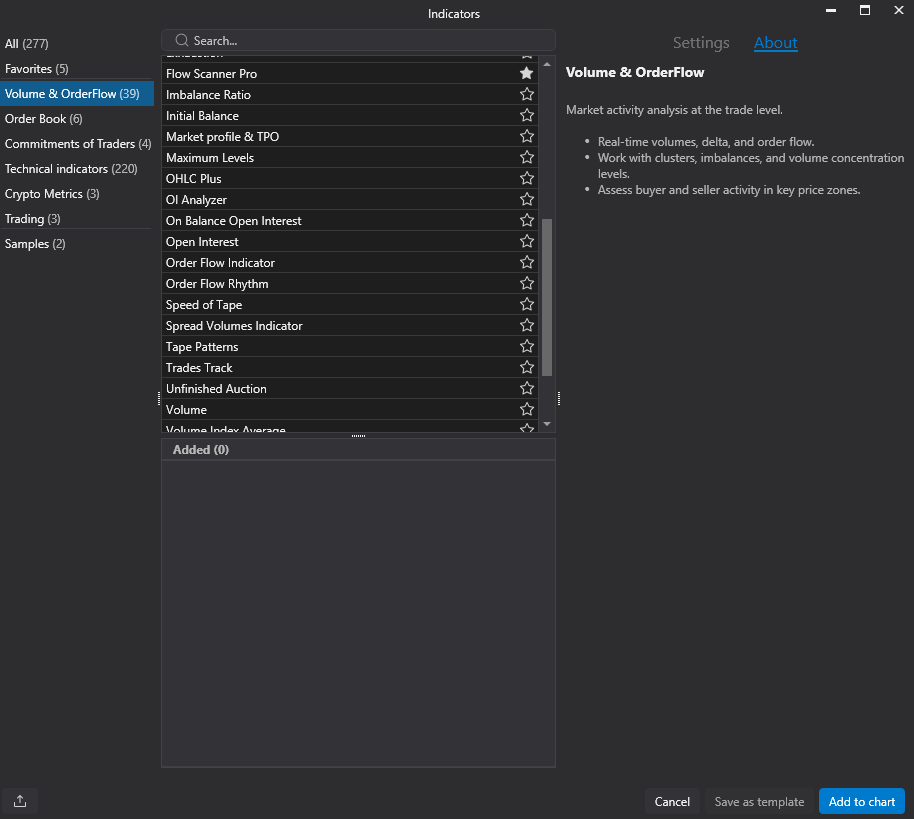
Once completed, your indicator will be fully accessible under the standard
Indicators menu on your charts.